
- Which Jarliet Heads Support Flexible Eyes and Movable Eyelids?
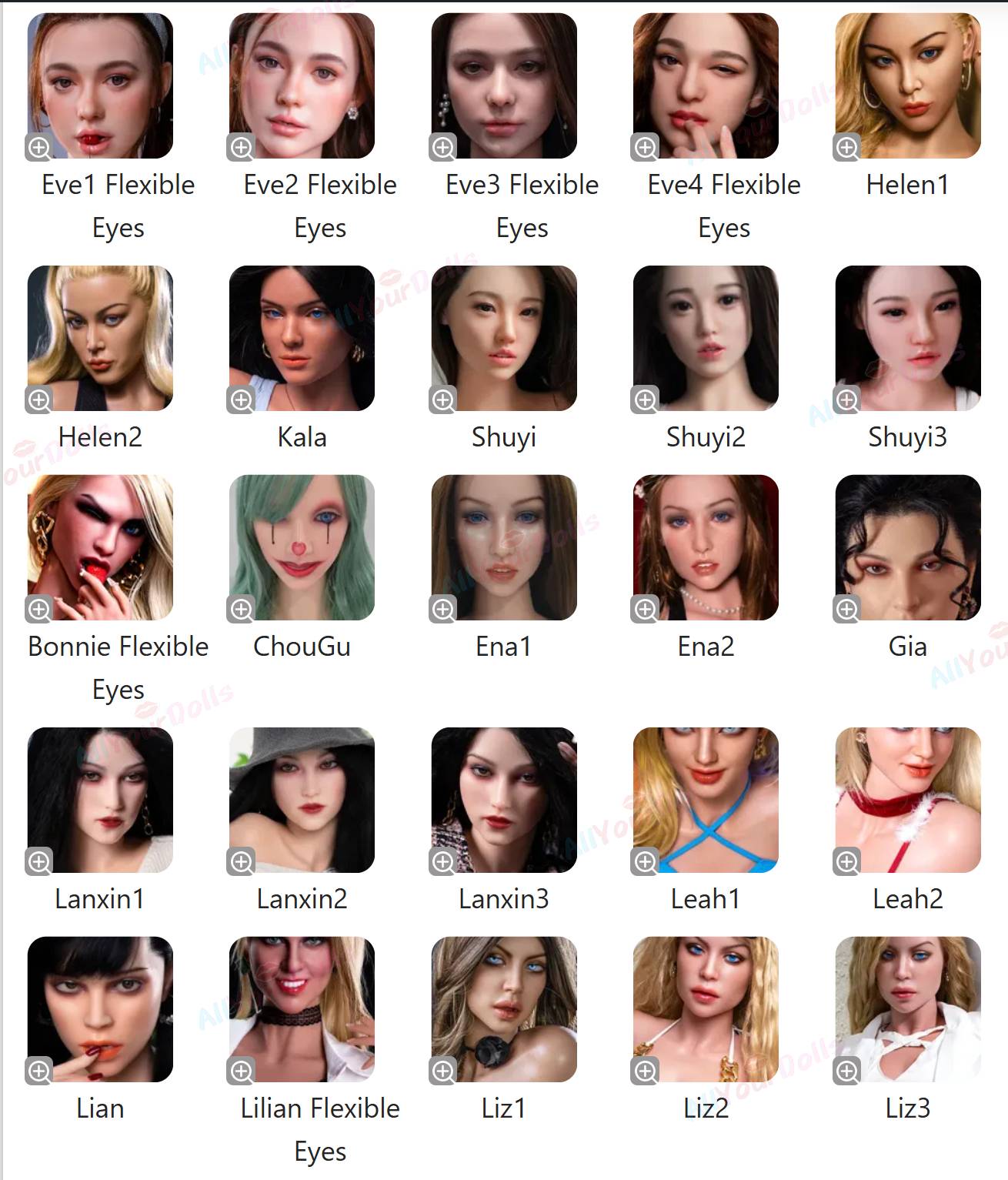
A: Jarliet offers several silicone heads featuring Flexible Eyes and Movable Eyelids. These heads also support Real Oral Functionality. The current lineup includes:
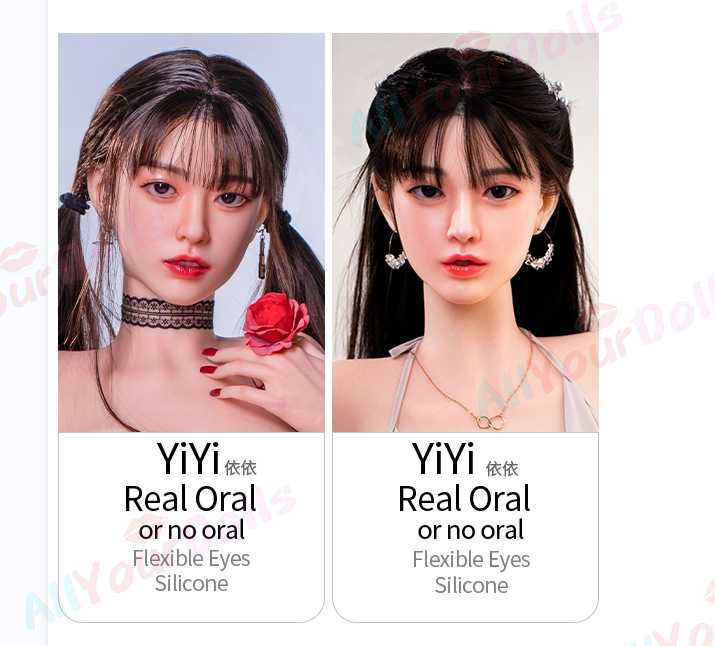


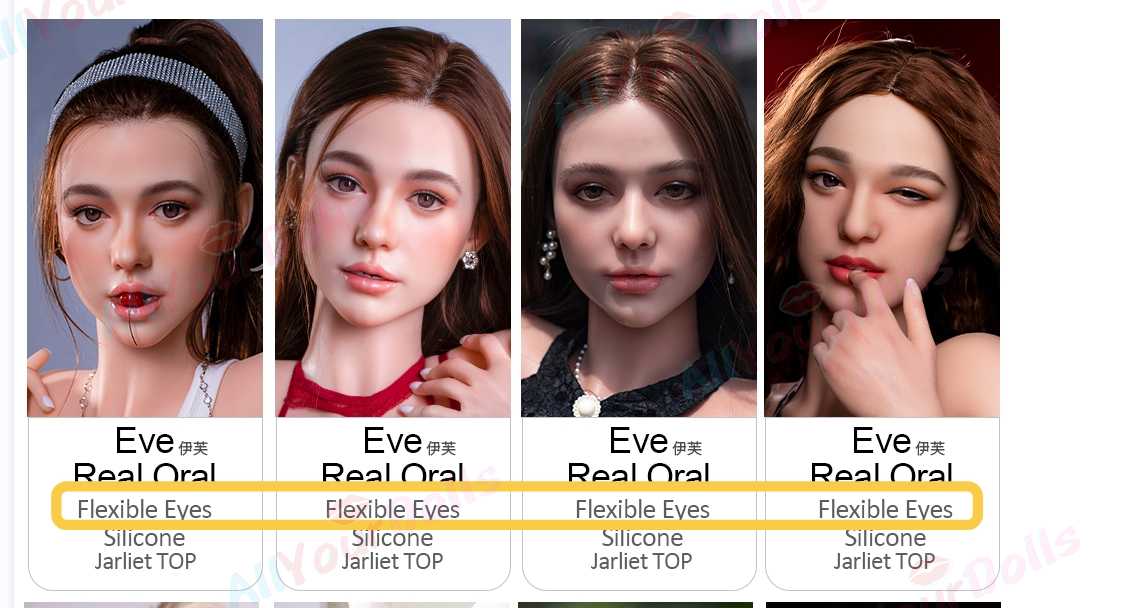
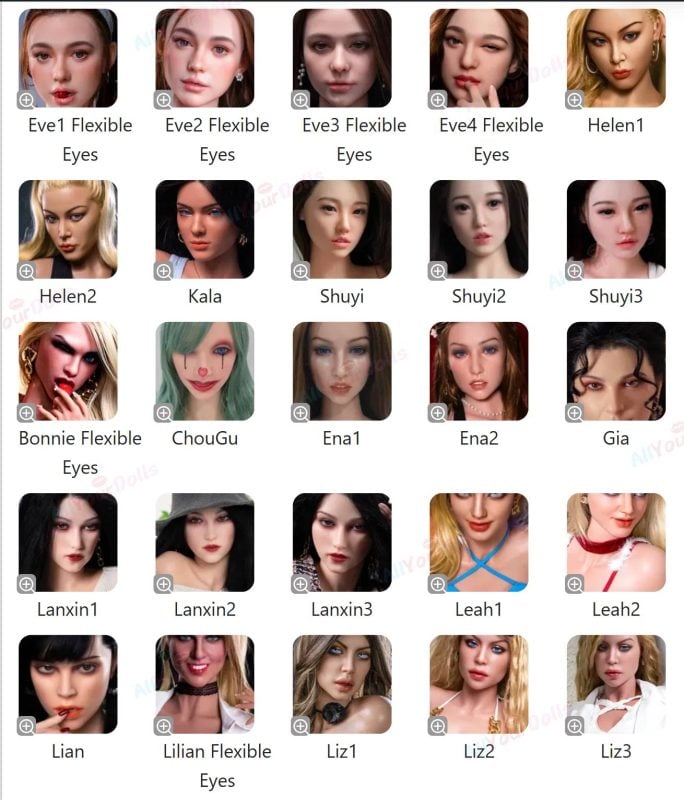
Product Name Material Key Features Eve sx Silicone Flexible Eyes Bonnie x Silicone Flexible Eyes Nicole ses Silicone Flexible Eyes Nicole ea Silicone Flexible Eyes Loni se Silicone Flexible Eyes Loni Silicone Flexible Eyes Lilian waz Silicone Flexible Eyes 💡 Tip: If you’re interested in other brands that support Flexible Eyes or Movable Eyelids, click [here] for a full list.

- What Is Jarlilet Realistic Skin Texture (RST)?
A: Jarlilet Silicone Sex Doll's Realistic Skin Texture (RST) gives the doll a full-body, lifelike skin feel.
Every inch of the doll is crafted with fine, realistic textures, with extra attention to key areas like the chest, neck, vagina, buttocks, and legs.
The result is an incredibly soft, natural touch that looks and feels like real human skin.
📹 Watch our RST demo video to see the lifelike textures in action.
- What Is the Jarlilet's ROS Head ?
The Jarlilet Silicone Sex Doll ROS Head is an optional upgrade featuring a fully realistic oral structure with a movable jaw, designed to replicate the natural motion of a human mouth. By default, dolls come with the Soft Head option.
📸 Below is a photo of the ROS Head. Please confirm your selection when placing your order.
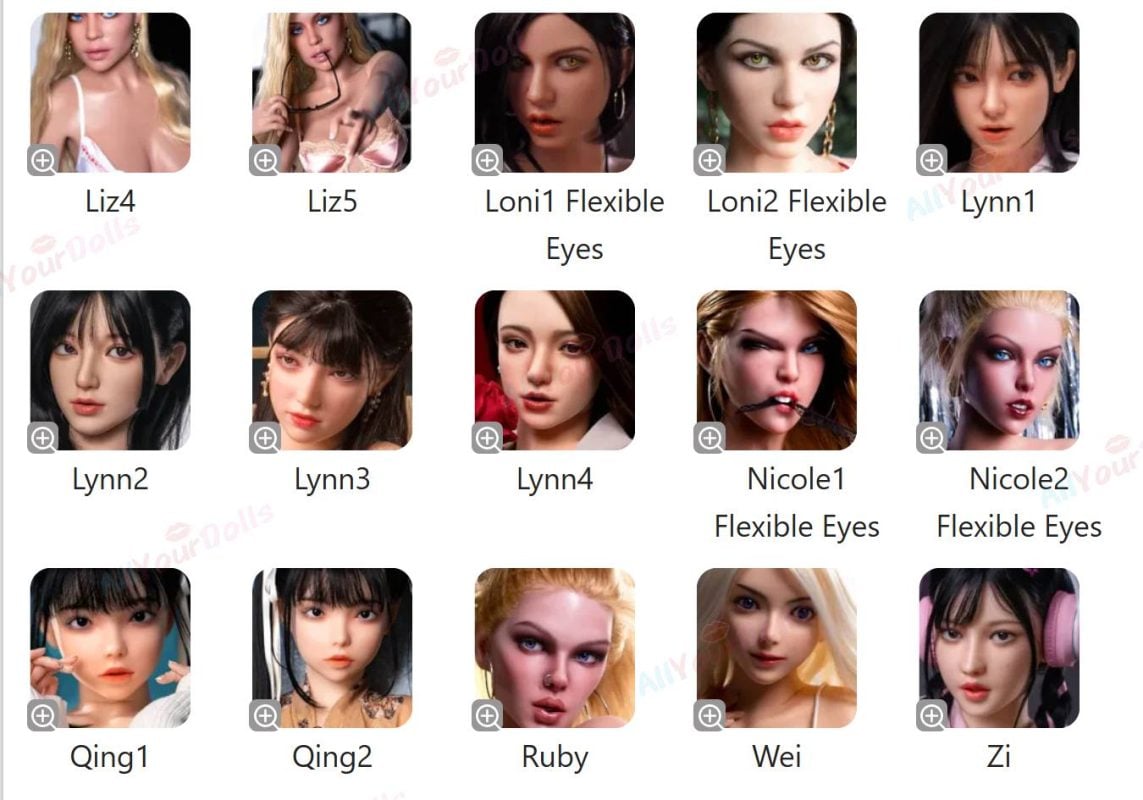
⚠️ All current heads support the ROS upgrade. Jarlilet will continue to release new heads, and for any newly released head, if you are unsure whether it supports ROS, please contact customer service.
For an enhanced hands-free experience, you can pair the ROS Head with the free Oral Clamp & Suction function, which must be selected separately. This combination allows users to enjoy realistic oral sensations while maximizing hands-free operation.
📹 Watch our demo video to see the ROS Head in action and how it works with the Oral Clamp & Suction feature.
- How Realistic Are Jarlilet's Gel Breasts?
A: Jarlilet Silicone Gel Breasts are crafted with high-quality silicone gel to provide a soft, elastic, and realistic feel. Designed to mimic the weight, movement, and texture of natural breasts, they enhance the doll’s lifelike appearance and touch.
📹 Watch our demo video to see their natural movement and realistic softness.



- How Soft Are Jarlilet's Gel Buttocks?
A: Jarlilet Silicone Gel Buttocks are designed to replicate the natural firmness and supple softness of real human buttocks. Made with high-quality silicone gel, they offer a smooth, elastic feel with realistic weight and gentle give, creating a lifelike touch that’s perfect for a true-to-life experience.
📹 Watch our demo video to see the realistic texture and natural movement in action.
- How to Use the Jarlilet's Oral Suction & Clamping Function?
A: The Jarlilet Oral Suction & Clamping function is plug-and-play and requires no charging.
How To use:
- Insert the power connector into the doll’s back-side socket.
- Turn on the switch and adjust the speed according to your preference. There are three levels: A, B, and C.
- Enjoy realistic oral sensations hands-free.
⚠️ After use, always unplug the power to ensure product safety.
📹 Watch our demo video to see how easily it works in action.
- How to Set Up and Connect Your Jarliet AI Sound Box (Pink Box)
Follow these simple steps to connect your Jarliet AI Pink Box to your smartphone and start your experience!
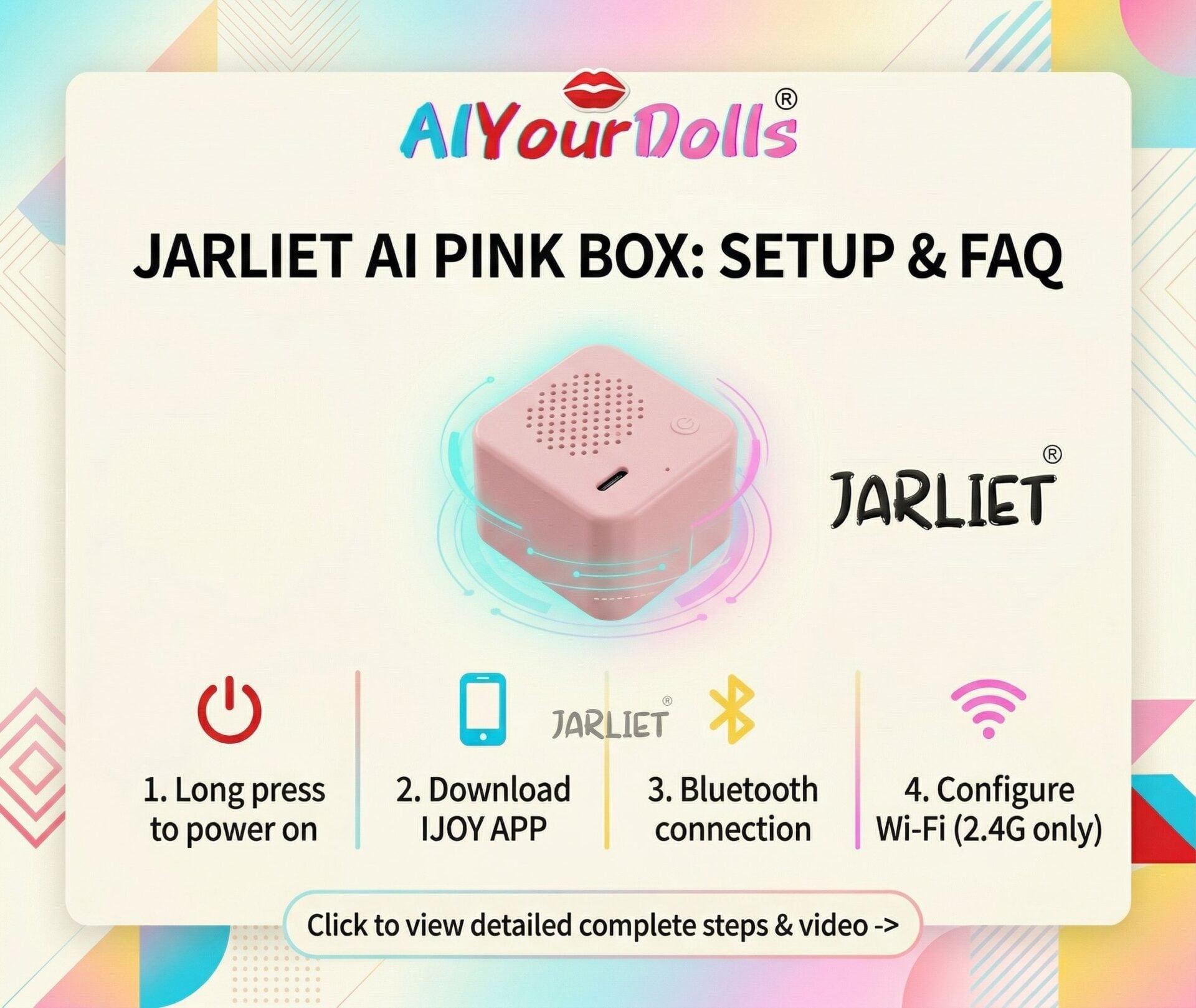
Step 1: Download the "IJOY" App
- Option A: Open your phone's App Store (iOS) or Google Play Store (Android) and search for "Ijoy". Look for the app with the purple icon (as seen in the video) and download it.
- Option B: Alternatively, scan the QR code provided in your product manual using your phone's browser or camera.
Step 2: Power On the Device
- Locate the power button on the pink sound box.
- Long-press the power button until the device turns on. You will see the indicator light flash (red) and hear a voice prompt letting you know it is ready for network configuration.
Step 3: Open the App and Log In
- Open the IJOY app on your phone.
- Agree to the user terms and log in. (You can quickly sign in using third-party options like "Sign in with Apple," as shown in the video, or register an account).
Step 4: Connect the Device via Bluetooth
- Ensure your phone's Bluetooth is turned ON.
- On the app's home page, tap the "Connect to the device" button.
- Keep the pink box close to your phone. The app will automatically search for the device (it will typically appear as something like AIBoxBK Max).
- Tap "Connect".
Step 5: Configure Your Wi-Fi Network
- Once the Bluetooth connects, tap "Configure Network".
- Follow the on-screen prompts to enter your Wi-Fi network name and password, then tap "Connect and Configure Network".
- ⚠️ IMPORTANT NOTE: The device only supports 2.4GHz wireless networks. Please ensure your home Wi-Fi or mobile hotspot is set to 2.4G. It will not connect to a 5G network.
Step 6: You're Ready!
- When the connection is successful, the sound box will play a prompt tone, and the indicator light will turn solid blue.
- Your Jarliet AI is now connected, and you can start your conversation!
 US Local Warehouse
 Europe Local Warehouse
 Acarna Torso Doll
 AiBei Doll
 AJL Doll
 AZM Doll (aiomi)
 Angel Kiss
 Butterfly Doll
 Climax(CLM) Doll
 Chocolate Lady
 Dolls Castle
 Elsa Babe Doll
 Evas Doll
 FANREAL Doll
 Firefly Diary Doll
 Fire Doll
 Funwest Doll
 Galatea Doll
 Galaxy Dolls
 Gamelady Dolls
 Gynoid Doll
 iDo Doll
 Irontech Doll
 Jarliet Doll
 Jiusheng Doll
 KiraDols Doll
 Kulovedoll
 JX Doll
 Lusandy Doll
 LingMo Doll
 MD Doll
 MMX Doll
 Nianta Doll
 Orange In Doll
 PrimeSexDoll
 Qita Doll
 Real Lady
 Realing Dolls
 Ridmii Doll
 Rosretty Doll
 SHEDoll
 Sino Doll
 Sigafun Dolls
 Starpery Doll
 SEDoll
 SY Doll
 Tantaly Dolls
 TopCY Doll
 Top Fire Doll
 WM Doll
 XNX Doll
 XT Doll
 XYDoll
 Zelex Doll
 Male Masturbators-Mini Sex Toy
 Custom Doll Head By Photos
 Buy Replacement Heads(Sold Separately)
 Buy Funwest TPE Heads
 Buy Gamelady Doll Heads
 Buy Irontech & Real Lady Silicone Doll Heads
 Buy Kiradols Head Silicone Anime
 Doll Clean | Dry | Disinfection | Repair Accessories
 Doll Storage & Display
 Smart AI & Interactive Upgrades
 Buy Replacement Head (Sold Separately)
 Doll Clean | Dry | Disinfection | Repair Accessories
 Doll Storage & Display